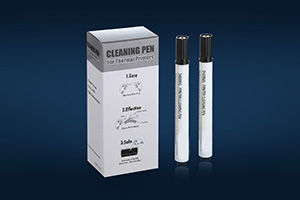
Second, take out our cleaning pen, in general, our cleaning pen is conducted in accordance with a box of a box packaging good, need you open box, remove a cleaning pen.
Then remove the cleaning pen cap, let pen parts in the print head can rub back and forth several times.
Note: because our cleaning pen head is IPA easy, volatile. So after used up printer cleaning pen, must cover the lid
Company:
MEDITECH TECHNOLOGY CO,. LTD
Address:
226 Xinpo Road, Potoubei, Ailian Community,
Longcheng Street, Longgang District,
Shenzhen, 518172
Guangdong Province, China
Phone : (86)755-28690225
Fax: (86)755-28646977
E-mail: john@meditech.cc
Skype: meditech.cc
Cleaning Cards www.meditech.cc
Cleaning Kits www.meditech.cc
Skype: meditech.cc
QQ: 2691048102

没有评论:
发表评论